
Getting started with the Deep Research Agent
A step-by-step guide for patent professionals
FluidityIQ's Deep Research Agent transforms a set of patent search results into a working research environment — one where you can interrogate a curated corpus of patents, draw on the full breadth of academic literature, and generate structured, citable reports through natural conversation. Whether you are conducting a novelty assessment, mapping a competitive landscape, or exploring the academic foundations of an emerging technology, the agent gives you a research partner that works at the speed of your questions.
Accessing the Deep Research Agent
The Deep Research Agent is launched directly from your search results. After running a patent search in FluidityIQ, click the Research tab at the top of the Search Results page. The agent opens with the context of your current search already loaded — the patents in your results are immediately available as a corpus for your analysis.
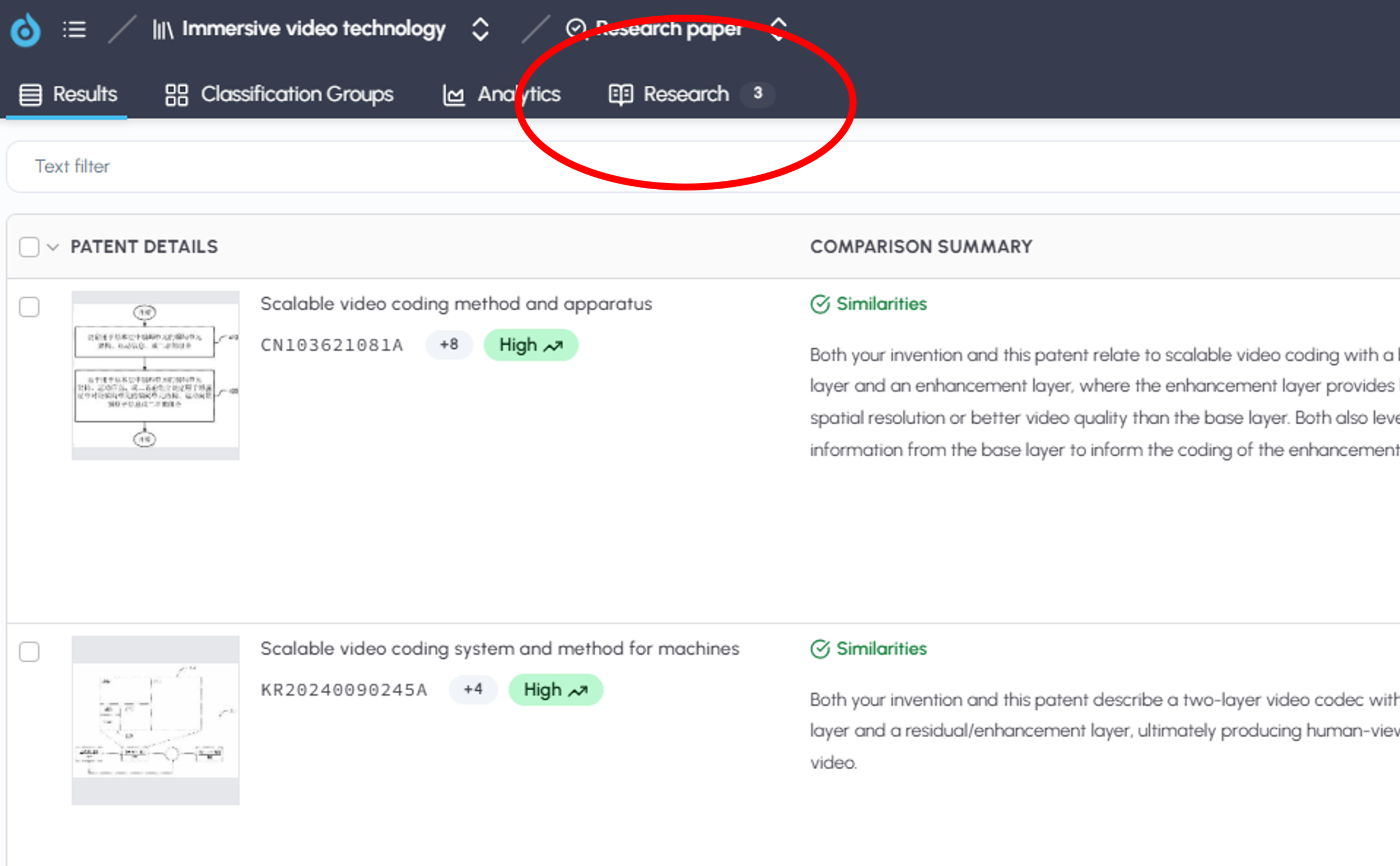
Click research tab in header to access the Deep Research Agent
Understanding the interface
The Research page is divided into two panels.
The left panel serves as your research history. Every report you generate is saved here in chronological order, making it easy to return to prior analyses, compare work across matters, or pick up where you left off. Reports are launched by clicking on them in the list.
The right panel is your active workspace. When you first open the agent, this panel presents two quick-start shortcuts:
Conduct a novelty assessment — launches a guided workflow for evaluating the novelty of an invention against the patents in your search corpus.
Summarize the competitive landscape — generates a structured overview of the competitive dynamics, key assignees, and technology clusters represented in your results.
These shortcuts are built on expertly developed prompts and are designed to get you to a publishable report quickly. You can launch either one by clicking on it, then follow the agent's conversational prompts to customize the output to your specific needs.
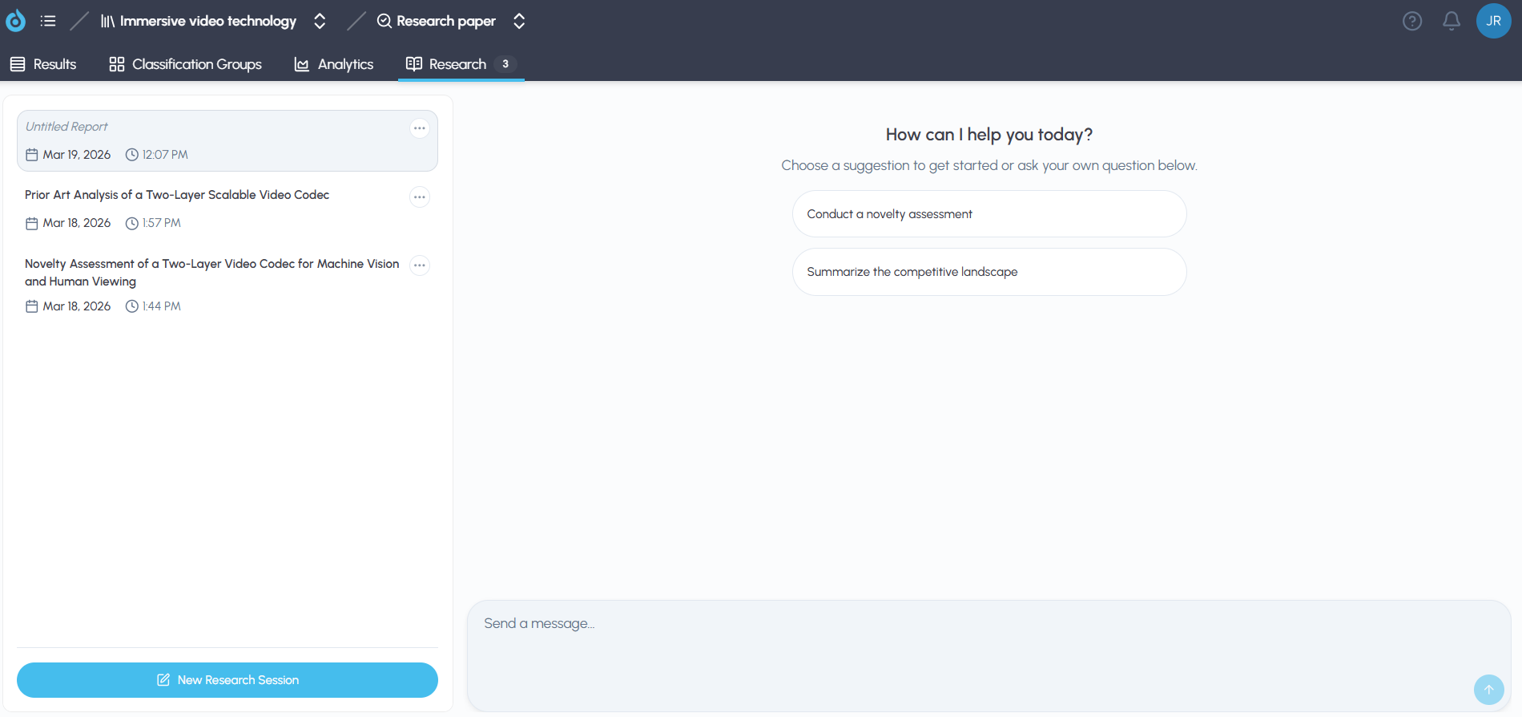
You can use our prepared prompts or engage with the chat panel directly with plain language
Using the chat interface
At the bottom of the right panel is a chat box where you can interact with the agent using plain language. This is where the agent's full flexibility becomes apparent. You are not limited to the two default shortcuts — you can instruct the agent to perform virtually any kind of research task by describing what you need.
For example, you might type:
"Identify the three patents in these results that pose the greatest risk to our freedom to operate in Germany and explain why."
"Summarize the academic research on solid-state battery electrolytes and compare it to the patent filings in my results."
"List the independent claims of patent US11234567B2 and analyze whether our product's features map to any of those claims."
The agent is conversational and interactive. It will ask clarifying questions when it needs more direction and will refine its analysis based on your follow-up instructions. You can redirect, expand, or narrow its focus at any point in the conversation.
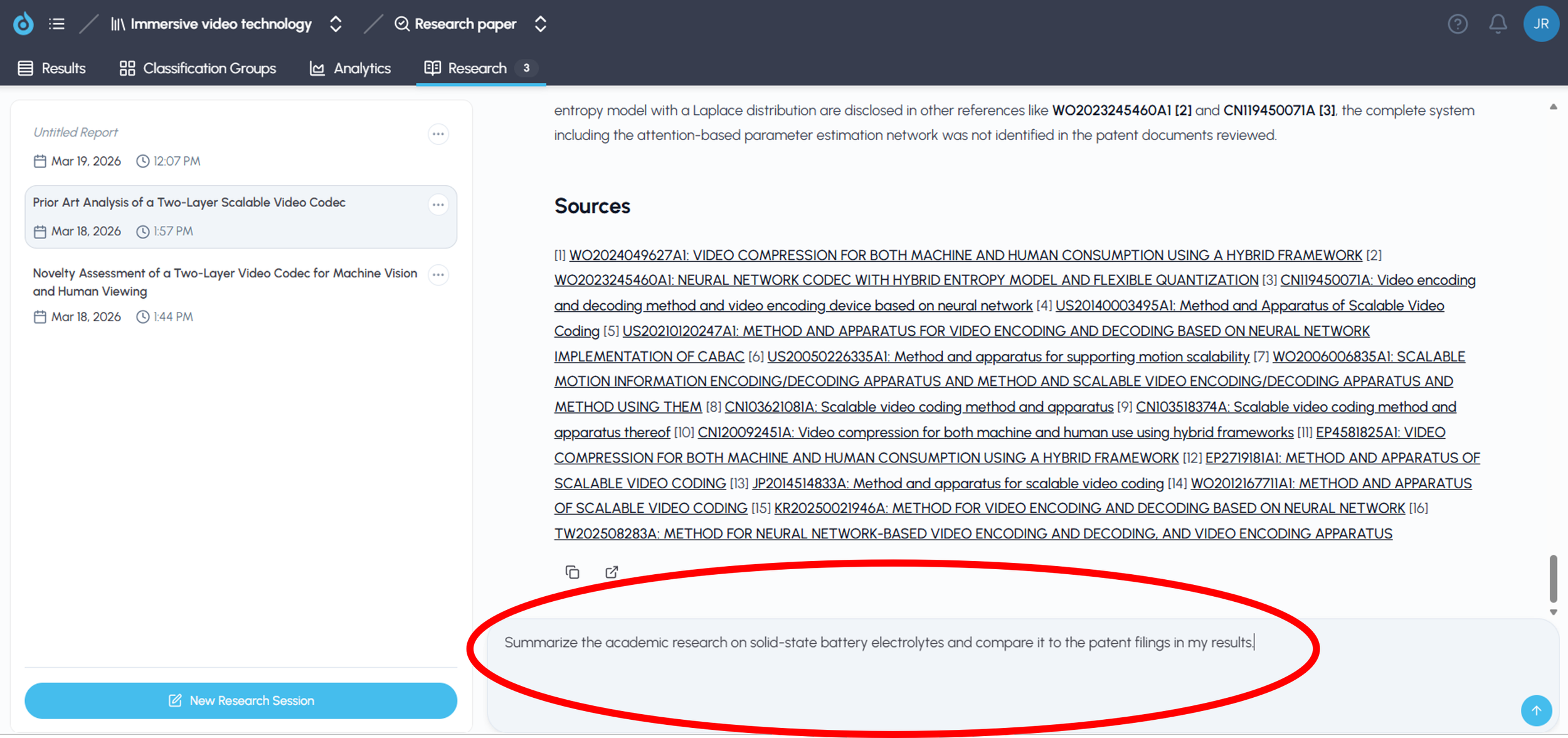
The agent can analyze themes, white space and respond to detailed questions
What the agent can access
The Deep Research Agent has two primary sources of information it can draw on during a research session:
Your search results. The patents surfaced by your search are the agent's default working corpus. You can also direct the agent to retrieve specific patents by providing a patent number directly in the chat — the agent will locate and incorporate that document into the analysis even if it was not part of your original results.
The arXiv academic library. The agent has access to the full arXiv.org repository of academic research, covering computer science, engineering, physics, mathematics, biology, and more. This gives you the ability to situate patent activity within its broader scientific context — a capability that is particularly valuable for emerging technology landscapes where the academic literature is moving faster than the patent record.
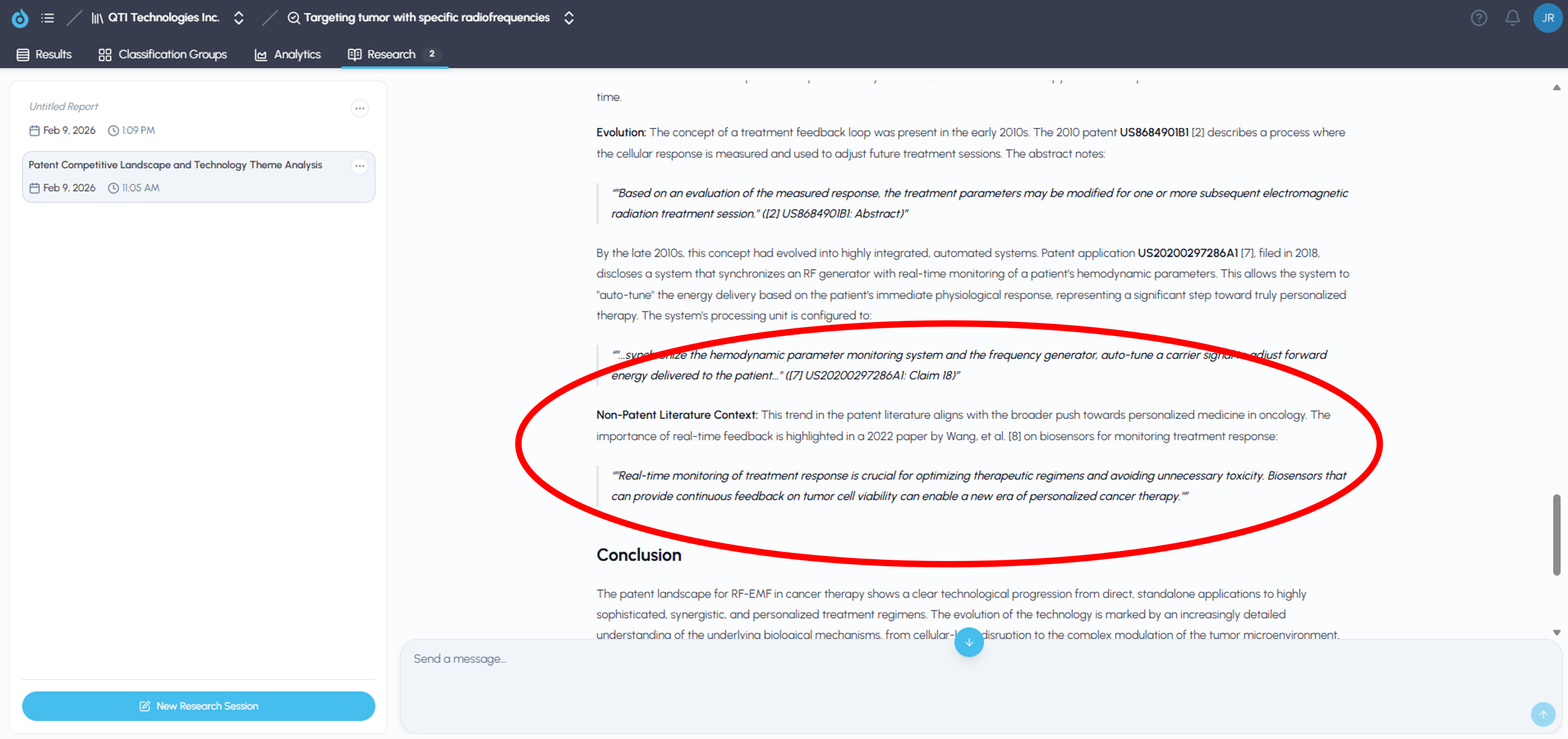
Context from academic papers can be included in your reports
Working with your reports
Reports generated by the Deep Research Agent are saved automatically to the left panel for future reference. At the bottom of each report, you will find:
Hyperlinked sources — every patent or paper cited in the report appears as a clickable link, allowing you to go directly to the underlying document.
Copy and export options — reports can be copied to your clipboard for pasting into emails or documents, or exported as a presentation-ready PDF.
Conclusion
The Deep Research Agent is designed to meet patent professionals where they are — at the point where a set of search results needs to become actionable intelligence. By combining a curated patent corpus with access to the academic literature and a flexible, conversational interface, the agent reduces the time between identifying relevant prior art and producing a clear, well-sourced analysis. The guides in this Learning Center will walk you through specific use cases in greater depth, from novelty assessments and FTO analyses to competitive landscape reports and technology monitoring.